Right now around the world
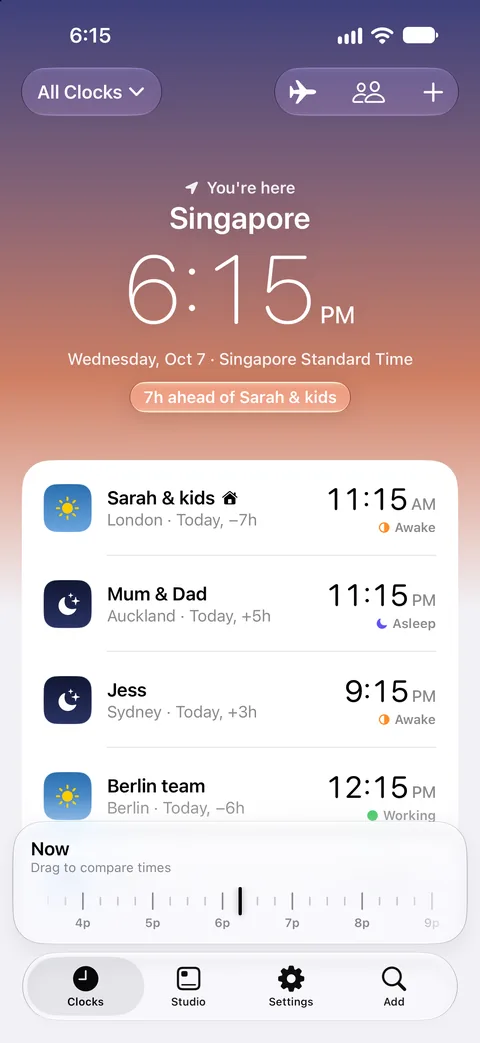
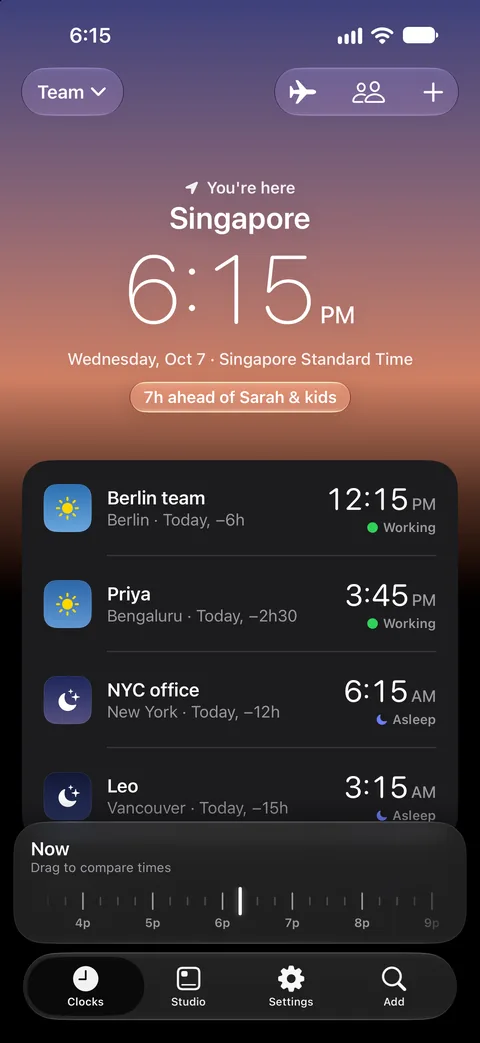
Each sky comes from where the sun is in that city at this minute. Dayside paints every clock the same way.
- San Francisco
- New York
- São Paulo
- London
- Berlin
- Johannesburg
- Dubai
- Bengaluru
- Singapore
- Tokyo
- Sydney
- Auckland
See who's up before you call
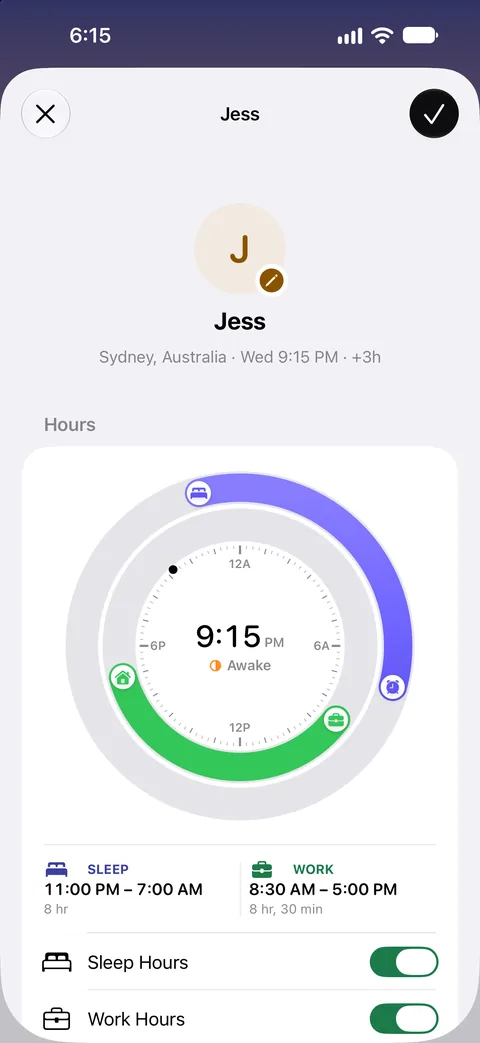
Name a clock after a person or a team, like Mum, Kenji or the Dublin team. Drag their work and sleep hours onto a 24-hour dial, and every row shows whether they're working, awake or asleep.
- Public holidays and local weekends for more than 200 countries
- A quiet heads-up when someone's workday starts
- Reminders at another city's time, like a Sunday call at 7:30 PM in Auckland
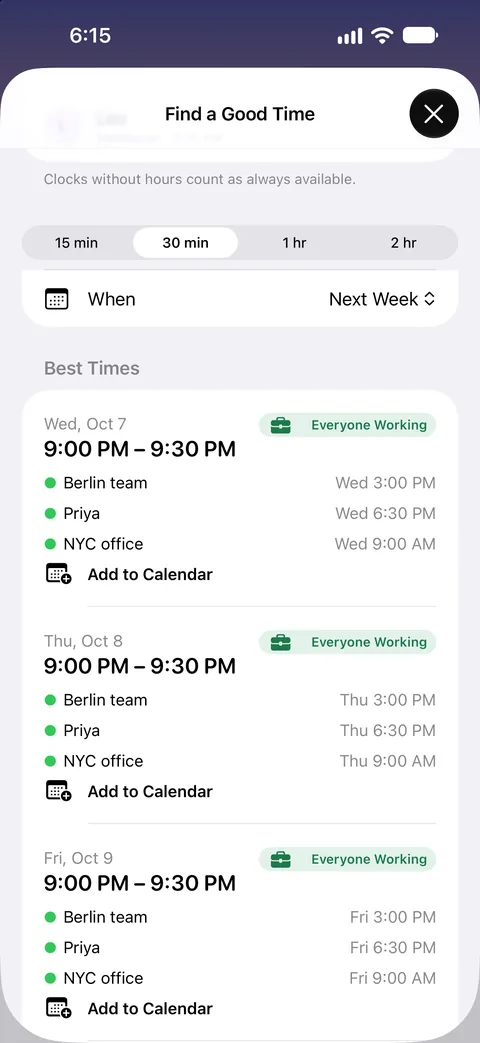
Find a meeting time across time zones
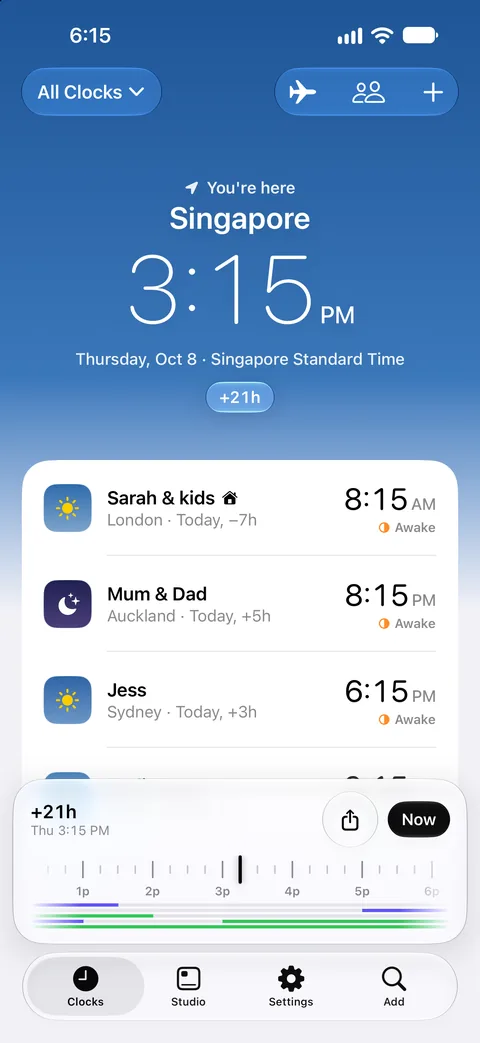
Drag the scrubber and every clock moves together, so you can see what 3 PM tomorrow means for everyone. Or ask Dayside for a good time, and it ranks the options from everyone working down to least bad.
- Share a time as a link that opens in each person's own time zone, no app needed
- Add the time you pick to your calendar in one tap
- Show your own calendar alongside, without it leaving your iPhone
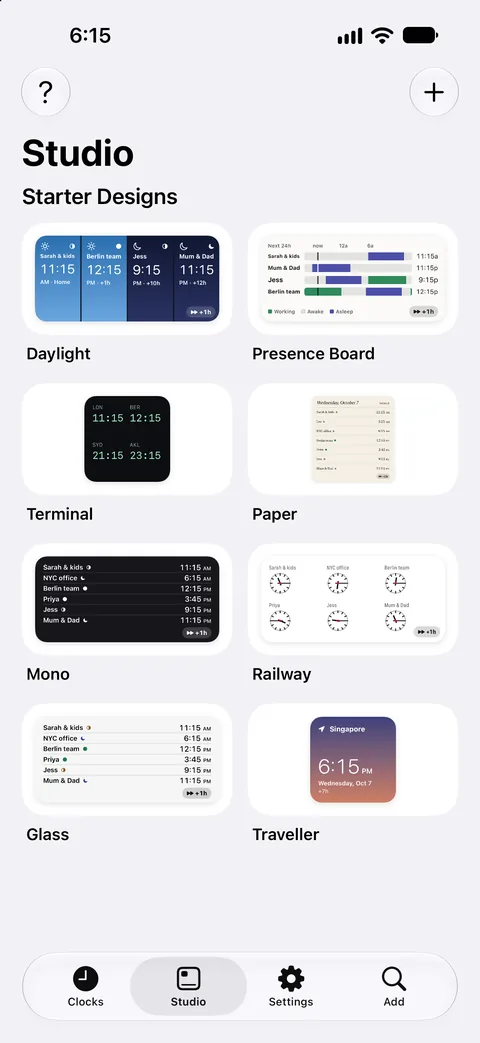
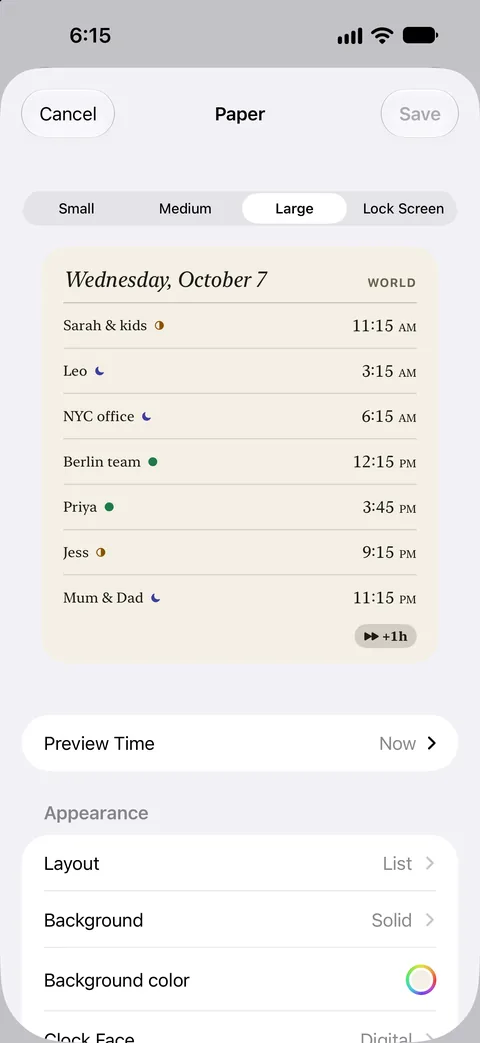
Design your own world clock widgets
Studio starts you off with eight designs: Daylight, Presence Board, Terminal, Paper, Mono, Railway, Glass and Traveller. Change the layout, background and clock face, pick which clocks appear, then put it on your Home Screen or Lock Screen.
- Small, medium, large and Lock Screen sizes
- StandBy, and controls for Control Center
- Interactive widgets that peek a few hours ahead
Made for travel
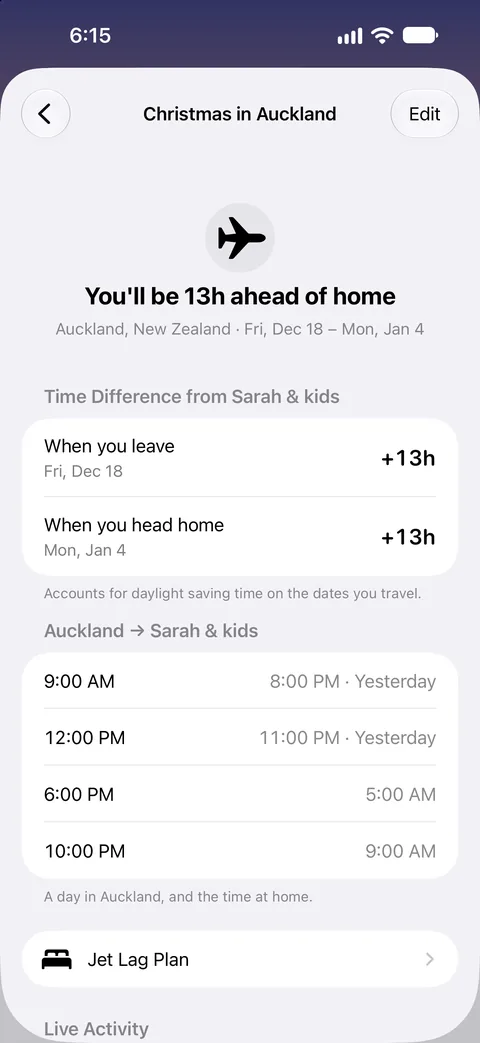
When you land, the travel clock switches to local time on its own, without asking for your location. Plan a trip and Dayside shows the time back home for the days you're away, with daylight saving already worked out.
- A Live Activity for travel days
- A gentle jet lag plan for the days around your flight
- Search 65,000 places and 3,000 airports, even offline
On your iPad and Apple Watch
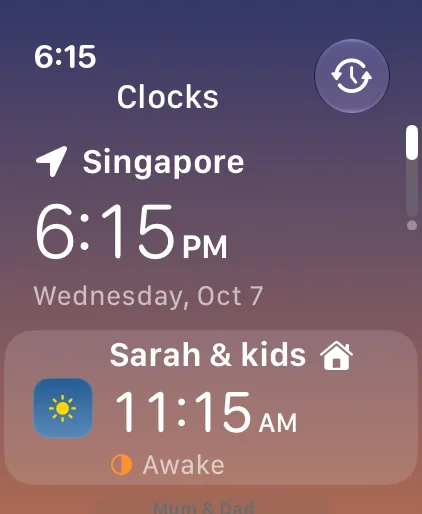
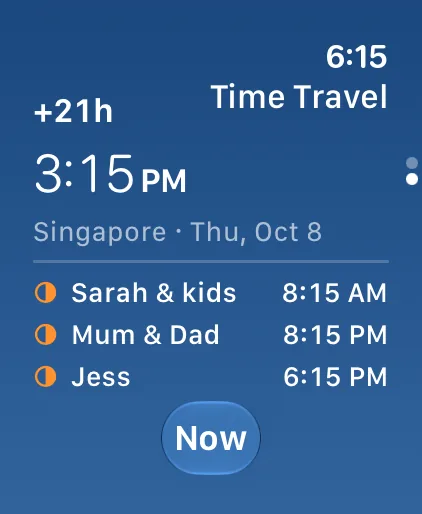
Your clocks sync through your own iCloud, so your iPad has the same people and trips. On Apple Watch, Time Travel moves every clock forward or back, and complications keep the ones you check most on your watch face.
- Complications and Smart Stack widgets
- Ask Siri, "Is Mum awake in Dayside?"
- An alert before daylight saving changes the gap between two clocks

Free, with everything unlocked
No ads, no subscriptions and no account to make. Dayside collects no data. Your clocks stay on your devices and in your private iCloud, and everything works offline.
Weather is optional and comes from Apple Weather. The privacy policy is short, and says exactly this.
Questions
Is Dayside free?
Yes. Every feature is free, and there are no ads, subscriptions or in-app purchases.
Which devices does Dayside run on?
iPhone and iPad with iOS 18 or later, and Apple Watch with watchOS 11 or later.
Do I need an account?
No. Dayside works as soon as you open it. If iCloud is on, your clocks sync between your iPhone and iPad through your own iCloud account.
How does Dayside know who's awake?
You set each person's work and sleep hours on a dial. Dayside checks those hours against the local time, weekends and public holidays where they live. It doesn't track anyone.
Can I share a time with someone who doesn't have Dayside?
Yes. A shared time opens in any web browser and shows the meeting in the reader's own time zone.
Does Dayside handle daylight saving time?
Yes. It uses the time zone rules built into iOS, and it can warn you before a daylight saving change moves the gap between two of your clocks.
Does Dayside use my location?
No. The travel clock follows the time zone your iPhone is set to, so Dayside never asks for location access.
Does it work offline?
Yes. City search, time zone rules and public holidays are built into the app. Weather and map search need a connection, and both are optional.
Know who's awake before you call.
Dayside is free on the App Store for iPhone, iPad and Apple Watch.
Download on the App Store